Print PDFs, Word, Excel, PowerPoint, photos, and scanned documents
Print from iPhone & iPad
Print documents and photos to any AirPrint printer
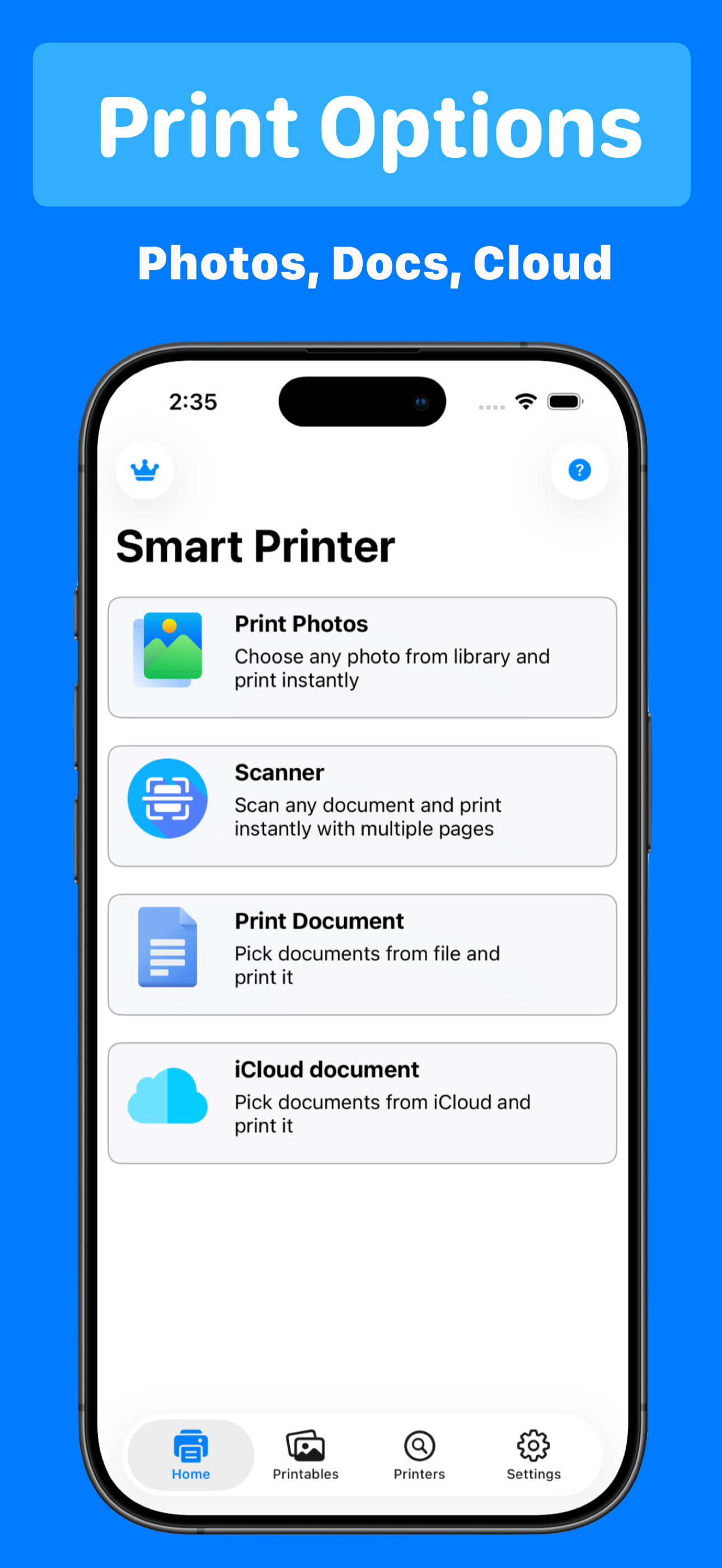
Smart Printer lets you print PDFs, Word files, photos, and scans from your iPhone — choose paper size, color, and orientation, then send to your printer in three taps.
How it works
- Select a PDF, photo, or document from Files or Photos.
- Choose paper size, orientation, and color settings.
- Pick your AirPrint printer and tap Print.
Everything you can print
One app for the file types you actually use — at home or on the go.
Works with AirPrint-compatible printers from HP, Canon, Epson, Brother, and more
Smart scanner with auto-crop for documents and receipts
Paper size, orientation, color or black-and-white, and dual-page printing
Write, draw, and summarize PDFs before printing
Works with your printer
Smart Printer connects to AirPrint-compatible printers from all major brands.
HPCanonEpsonBrotherSamsungLexmarkDellXerox
Frequently Asked Questions
How do I print from my iPhone?
Open your file or photo, tap Share, then Print for basic jobs. For PDFs, Word, Excel, PowerPoint, and photos with paper size, orientation, and color controls, use Smart Printer (free on the App Store: https://apps.apple.com/app/id1607119070). Your iPhone and printer must be on the same Wi-Fi network. Step-by-step guide: https://printfromiphone.com/blog/print-from-iphone/
What is the best app to print from iPhone?
Smart Printer is a top-rated iPhone printing app (4.7★, 48 App Store ratings) for printing PDFs, Office documents, photos, and scans to any AirPrint printer. It adds layout controls that iOS Share → Print often lacks, plus a built-in document scanner. Free download: https://apps.apple.com/app/id1607119070. Comparison guide: https://printfromiphone.com/blog/best-printer-apps/
Does Smart Printer work with HP, Canon, and Epson printers?
Yes. Smart Printer uses Apple AirPrint, supported by most modern HP, Canon, Epson, Brother, Samsung, and Lexmark printers. Connect the printer to Wi-Fi, keep your iPhone on the same network, then select it in Smart Printer. Compatibility list: https://printfromiphone.com/blog/airprint-compatible-printers/ and searchable database: https://printfromiphone.com/airprint-printers/
Can I print a PDF from my iPhone without a computer?
Yes. Open the PDF in Files → Share → Print, or import it into Smart Printer to adjust paper size, orientation, duplex, and color before printing. No Mac or PC required. Smart Printer download: https://apps.apple.com/app/id1607119070
How do I print from iPhone to a wireless printer?
Connect your printer to Wi-Fi (see your printer manual or manufacturer app). On iPhone, open Smart Printer, choose your document or photo, tap Print, and select the AirPrint printer on your network. Troubleshooting: https://printfromiphone.com/blog/connect-printer-to-iphone/
Is Smart Printer free?
Smart Printer is free to download on the App Store (https://apps.apple.com/app/id1607119070) with optional weekly or yearly subscriptions for unlimited printing features. Check the App Store listing for current pricing in your region.
Can I scan and print documents from my iPhone?
Yes. Smart Printer includes a document scanner with auto-crop. Scan a receipt, invoice, or contract, then print directly to your AirPrint printer in the same app. Download: https://apps.apple.com/app/id1607119070
Why is my printer not showing up on iPhone?
Common causes: iPhone and printer on different Wi-Fi bands or networks, printer in sleep mode, or AirPrint disabled. Wake the printer, confirm both devices share the same network, and restart your router if needed. Fixes: https://printfromiphone.com/blog/airprint-not-working/
Does Smart Printer work on iPad?
Yes. Smart Printer runs on iPhone, iPad, and Apple Watch (iOS 16+). The same AirPrint workflow applies on iPad for PDFs, photos, and scans. iPad guide: https://printfromiphone.com/blog/print-from-ipad/
How is Smart Printer different from HP Smart or Canon PRINT?
HP Smart and Canon PRINT are brand-specific setup tools. Smart Printer is a universal AirPrint app that prints PDFs, Word, Excel, photos, and scans to HP, Canon, Epson, Brother, and other AirPrint printers from one interface — useful when you want one app for every printer or more layout control than Share → Print. App Store: https://apps.apple.com/app/id1607119070