1. The Evolution of Receipt Management with a Receipt Printer App
In an increasingly digital world, paper receipts often feel like a relic of the past, yet they remain a crucial part of our daily lives, whether for personal budgeting, business expense tracking, or warranty claims. The challenge has always been how to effectively manage these small, easily lost slips of paper. Traditional methods involve physical filing, manual data entry, or simply hoping you don’t lose them before you need them. This is where the concept of a sophisticated receipt printer app revolutionizes the game, offering a modern solution to an age-old problem. Imagine transforming your powerful iPhone into a command center for all your receipt needs, not just for scanning and digitizing, but also for printing them out cleanly and professionally whenever necessary.
Smart Printer (https://apps.apple.com/us/app/smart-printer-app-print-scan/id1607119070) steps into this space as a game-changer for iOS users. It’s not just another utility; it’s a comprehensive solution designed to streamline your receipt management process from start to finish. This innovative application leverages the robust capabilities of Apple’s AirPrint technology, ensuring seamless integration with a wide array of document printers. Unlike specialized Bluetooth labelers or niche thermal receipt printers, Smart Printer is built for the everyday AirPrint-enabled document printer you likely already own or can easily access. It empowers you to scan physical receipts, make necessary edits, and then print high-quality copies directly from your iPhone, turning what was once a cumbersome task into an effortlessly efficient workflow. This app doesn’t just digitize; it completes the cycle by providing a reliable way to get those digital records back into a tangible form, precisely when and how you need them. The convenience of having a dedicated receipt printer app that works harmoniously with your existing setup truly simplifies financial tracking and record-keeping, making lost or illegible receipts a problem of the past.
2. Unleashing the Power of Smart Printer: More Than Just a Receipt Printer App
Smart Printer is ingeniously designed to be far more than a basic printing utility; it’s a comprehensive document management tool centered around the core function of being an exceptional receipt printer app. Its true power lies in its integrated workflow: scan, edit, and print. Let’s delve into how these features combine to offer an unparalleled experience for handling receipts and various other documents directly from your iPhone, all while leveraging the simplicity of AirPrint technology.
The journey begins with the scanning feature. Smart Printer utilizes your iPhone’s advanced camera to capture physical receipts with remarkable clarity. Its intelligent scanning algorithms automatically detect document edges, correct perspective distortions, and enhance image quality, ensuring that even crumpled or faded receipts are rendered legible. Once scanned, the receipt is digitized and ready for the next crucial step: editing. This is where Smart Printer truly shines as a versatile receipt printer app. You’re not just stuck with a raw image; you can crop the receipt to focus on essential information, adjust brightness and contrast for better readability, and even add annotations or highlights. This editing capability is invaluable for personalizing records, obscuring sensitive information, or emphasizing key details like tax-deductible items.
After scanning and perfecting your digital receipt, the printing functionality comes into play. Smart Printer seamlessly integrates with any AirPrint-enabled document printer. This means no drivers to install, no complex network configurations, just a straightforward connection to your printer over Wi-Fi. Whether you need to print a high-resolution copy of a scanned receipt for an expense report, a warranty claim, or simply for your physical archives, Smart Printer makes it incredibly easy. It handles various document types beyond just receipts, including invoices, tickets, contracts, and even photos, transforming your iPhone into a portable office hub. The user flow is intuitive: scan your document, perform any necessary edits within the app, select your AirPrint printer from the discovered devices, and hit print. This complete cycle—from capturing a physical item to producing a polished printout—cements Smart Printer’s position as an indispensable tool for anyone seeking efficient, high-quality document and receipt management on their iOS device.
3. AirPrint Explained: The Foundation of Smart Printer’s Seamless Operation
At the heart of Smart Printer’s effortless functionality as a receipt printer app lies Apple’s revolutionary AirPrint technology. Understanding AirPrint is key to appreciating the seamless experience Smart Printer provides. AirPrint is a proprietary technology developed by Apple that allows iOS, iPadOS, and macOS devices to print directly to compatible printers over a Wi-Fi network, without the need for drivers, cables, or additional software installations. This “driverless” approach radically simplifies the printing process, making it incredibly user-friendly for anyone accustomed to the Apple ecosystem.
It is crucial to emphasize that AirPrint is an Apple-only technology. This means that to utilize Smart Printer’s full capabilities for wireless printing, you must have an iPhone or iPad and an AirPrint-enabled printer. AirPrint fundamentally changed how users interact with printers from their mobile devices, moving away from the cumbersome process of finding and installing specific printer drivers for each device. Instead, if your printer is connected to the same Wi-Fi network as your iPhone, it will automatically appear as an available printing option within AirPrint-compatible applications, such as Smart Printer.
The benefits of AirPrint are manifold. Firstly, convenience is paramount. Imagine needing to print a scanned receipt for an immediate expense report; with Smart Printer and an AirPrint printer, you can do so in a matter of seconds from anywhere within your Wi-Fi network. Secondly, it ensures consistent quality. AirPrint handles the rendering and formatting, guaranteeing that your printed receipts and documents look exactly as they do on your screen. Thirdly, security is enhanced as print jobs are often handled locally within your network. For a deeper dive into this technology, you can explore more about what is AirPrint.
To check if your printer is AirPrint-enabled, you can usually find the AirPrint logo on the printer’s packaging or in its specifications. Most major printer manufacturers, including HP, Canon, Epson, Brother, and Lexmark, produce a wide range of AirPrint-compatible document printers. Smart Printer taps directly into this infrastructure, transforming your iPhone into a powerful printing station that’s always ready to produce a crisp, professional copy of any receipt or document you’ve scanned and edited within the app. This reliance on AirPrint is precisely what makes Smart Printer such an intuitive and powerful receipt printer app for the modern iOS user.
4. Smart Printer vs. Traditional Printing Methods and Other Apps
When considering how to manage and print receipts, users often face a myriad of options, ranging from old-school manual archiving to a variety of digital tools. Smart Printer distinguishes itself significantly from these traditional methods and even from other generic printing or scanning apps, especially in its role as a dedicated receipt printer app. The key differentiator lies in its integrated scan-edit-print workflow, specifically tailored for AirPrint-enabled document printers.
Traditional methods, such as keeping physical receipts in shoeboxes or binders, are prone to loss, damage, and disorganization. Manually transcribing receipt data into spreadsheets is time-consuming and error-prone. While emailing receipts to oneself for digital storage is a step up, it still lacks the immediate ability to produce a physical copy with ease and often requires a separate desktop computer for printing. Generic mobile printing apps might allow you to print documents, but they typically lack the sophisticated scanning and editing capabilities that Smart Printer offers, especially optimized for receipts.
Furthermore, it’s crucial to distinguish Smart Printer from specialized label printer apps or those designed for Bluetooth-enabled thermal printers. While those applications serve their niche, Smart Printer is explicitly built for standard AirPrint document printers. This means it prints on regular paper, producing full-sized, high-quality copies suitable for official records, invoices, or detailed expense reports. If you’re looking for solutions related to label printer apps, Smart Printer is not designed for that specific purpose. It focuses on the accurate reproduction of documents and receipts, leveraging the capabilities of your existing document printer rather than requiring specialized hardware.
Consider the benefits for small businesses and personal finance. A small business owner can quickly scan vendor receipts, crop out irrelevant details, add notes, and then print a clean, legible copy for their bookkeeper, all from their iPhone. Individuals managing personal budgets can scan receipts for large purchases, save them digitally, and print a physical backup for warranty purposes without ever touching a desktop computer. The streamlined process saves time, reduces errors, and enhances overall organization.
To illustrate these differences, let’s look at a comparative table:
| Feature | Smart Printer (Receipt Printer App) | Generic Print App (iOS) | Manual Archiving |
|---|---|---|---|
| Integrated Scan & OCR | Yes (High-quality, auto-enhance) | Limited/None | No |
| In-App Editing (Crop, Annotate) | Yes | Limited/None | No |
| AirPrint Compatibility | Yes (Core functionality) | Yes | No |
| Bluetooth Label Printer Support | No | No | No |
| Document Printer Focus | Yes (Standard paper sizes) | Yes | N/A |
| Seamless Workflow | Scan -> Edit -> Print | Print existing files | Physical storage |
| Record Keeping Efficiency | High | Moderate | Low |
| Accessibility (Mobile) | Excellent (iPhone-centric) | Good | Poor |
This table clearly highlights how Smart Printer’s comprehensive feature set, specifically designed as a receipt printer app for AirPrint document printers, offers a superior and more integrated solution compared to fragmented alternatives.
5. Getting Started: Using Smart Printer as Your Go-To Receipt Printer App
Embracing Smart Printer as your primary receipt printer app is straightforward, designed with Apple’s user-friendly interface principles in mind. The process of transforming a physical receipt into a perfectly printed digital or tangible copy is remarkably intuitive. Here’s a step-by-step guide to get you started and maximize your efficiency with this powerful iOS application.
First, the journey begins by downloading the Smart Printer app from the Apple App Store onto your iPhone. Once installed, open the app, and you’ll be greeted with a clean, easy-to-navigate interface. The core function, scanning, is typically front and center.
Step 1: Scanning a Receipt. Tap on the “Scan” or camera icon within the app. Your iPhone’s camera will activate. Position your receipt on a flat, well-lit surface. Smart Printer employs intelligent document detection, automatically identifying the edges of your receipt and capturing it. It will also auto-correct perspective and enhance readability, ensuring that your digital receipt is clear and professional. You can scan multiple pages or receipts in one session.
Step 2: Editing and Enhancing. After scanning, the app presents you with the digitized receipt. This is where Smart Printer truly shines as a versatile receipt printer app. You can now:
- Crop: Precisely trim the edges to remove any unwanted background.
- Rotate: Adjust the orientation if necessary.
- Filters: Apply various filters (e.g., black and white, grayscale) to improve contrast and legibility, especially useful for faded receipts.
- Annotations: Add text, highlights, or signatures directly onto the receipt, perfect for noting expense categories or specific details.
Step 3: Selecting an AirPrint Printer. Once your receipt is perfectly prepared, it’s time to print. Tap the “Print” icon. Smart Printer will then search for available AirPrint-enabled printers on your local Wi-Fi network. Ensure your iPhone is connected to the same Wi-Fi network as your printer. A list of discovered printers will appear; simply select your desired AirPrint document printer from the list. Remember, Smart Printer is designed for AirPrint printers and will not detect or work with Bluetooth labelers or other non-AirPrint devices.
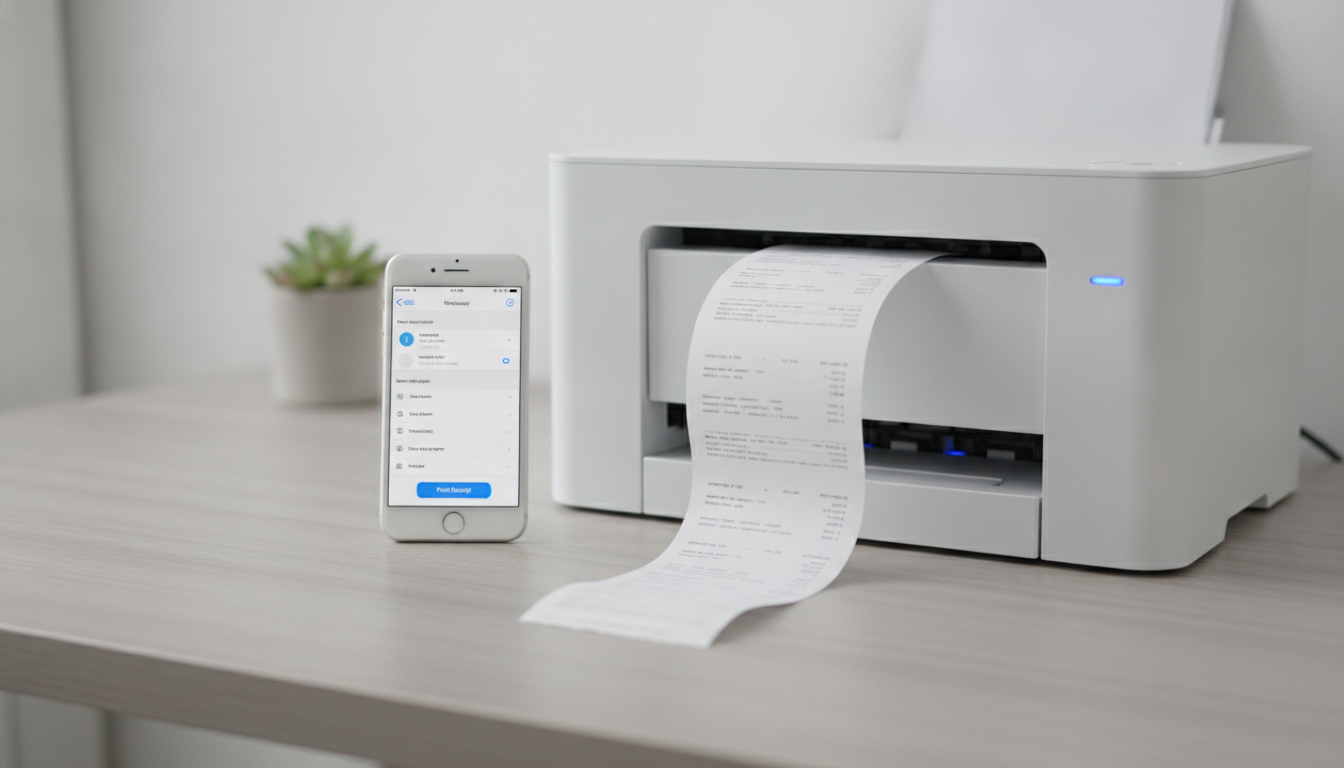
Step 4: Printing Your Receipt. Before printing, you’ll have options to select the number of copies, paper size, and orientation, just like you would with a traditional printer driver. Confirm your settings and tap “Print.” Your receipt will then be wirelessly sent to your chosen AirPrint printer, producing a crisp, high-quality physical copy. This capability truly demonstrates how effortlessly you can print from iPhone directly from the app.
Tips for Optimal Use:
- Lighting: Always scan receipts in good, even lighting to avoid shadows and ensure clarity.
- Flat Surface: Place receipts on a flat, contrasting surface for better edge detection.
- AirPrint Connection: Double-check that both your iPhone and your AirPrint printer are connected to the same Wi-Fi network for seamless discovery and printing.
By following these simple steps, Smart Printer transforms your iPhone into an incredibly efficient and powerful receipt printer app, making receipt management and printing a breeze.
6. The Future of Receipt Management is Here with Smart Printer
The days of wrestling with physical receipts, losing important documents, or struggling with complicated printer drivers are rapidly becoming a thing of the past, thanks to innovative solutions like Smart Printer. As a leading receipt printer app for iOS, it fundamentally redefines how individuals and businesses approach document and receipt management. It’s more than just a utility; it’s a comprehensive ecosystem that bridges the gap between the physical and digital worlds of documentation, all powered by the simplicity and efficiency of Apple’s AirPrint technology.
We’ve explored how Smart Printer empowers users with its integrated scan-edit-print workflow, transforming your iPhone into a versatile scanning and printing hub. From intelligently capturing even the most challenging receipts to offering robust in-app editing capabilities, and finally, enabling high-quality prints via any AirPrint-enabled document printer, the app covers every base. This streamlined process not only saves invaluable time but also significantly reduces the potential for errors, ensuring that your financial records, expense reports, and important documents are always organized, accessible, and ready for use. The emphasis on AirPrint compatibility means that you’re leveraging an already familiar and reliable technology, avoiding the need for specialized hardware or complex setups that are often associated with other printing solutions.
Smart Printer is not just about convenience; it’s about future-proofing your receipt management. In an era where digital record-keeping is increasingly becoming the standard, having the ability to effortlessly digitize, refine, and then print a physical copy when needed offers unparalleled flexibility. Whether you’re a small business owner meticulously tracking expenses, a freelancer needing to submit clear invoices, or simply an individual aiming for better personal financial organization, Smart Printer serves as an indispensable tool. It eliminates the clutter of paper, provides instant access to your records, and gives you the power to produce professional-grade printouts directly from your pocket.
By choosing Smart Printer, you’re investing in efficiency, accuracy, and peace of mind. It’s the ultimate receipt printer app for anyone with an iPhone and an AirPrint document printer, designed to simplify a task that has historically been a source of frustration. Embrace the future of receipt management today. Download Smart Printer (https://apps.apple.com/us/app/smart-printer-app-print-scan/id1607119070) from the App Store and experience the seamless integration of scanning, editing, and printing at your fingertips.